
Background
In Australia, a financial adviser has to keep a file note for every client conversation. It is the record that compliance checks, and the evidence if a client ever complains.
In AdviserLogic, Morningstar's software for advisers, a file note was a blank form. You picked one of 25 categories, then typed up the meeting from memory. Notes could also come from tasks, workflows, the diary and imported emails, so one client's record was spread across six places. Some advisers had started pasting meetings into general AI tools, which sometimes made details up.
Our goal was to let an adviser finish a meeting and have a note that is accurate, compliant and saved to the client's record, without writing it from scratch.
This was an MVP. Leadership was sceptical about AI and the budget was small. To get more, we had to prove that advisers would actually use it. We had several AI ideas we could have started with. We chose file notes because it was the one advisers asked for most.
Why a new product
AdviserLogic is a legacy platform, and its technology could not support the AI we needed. So instead of building inside it, we built Evolve: a separate AI workspace that sits alongside AdviserLogic. Advisers open it from AdviserLogic, and finished notes go back into the client's record there.
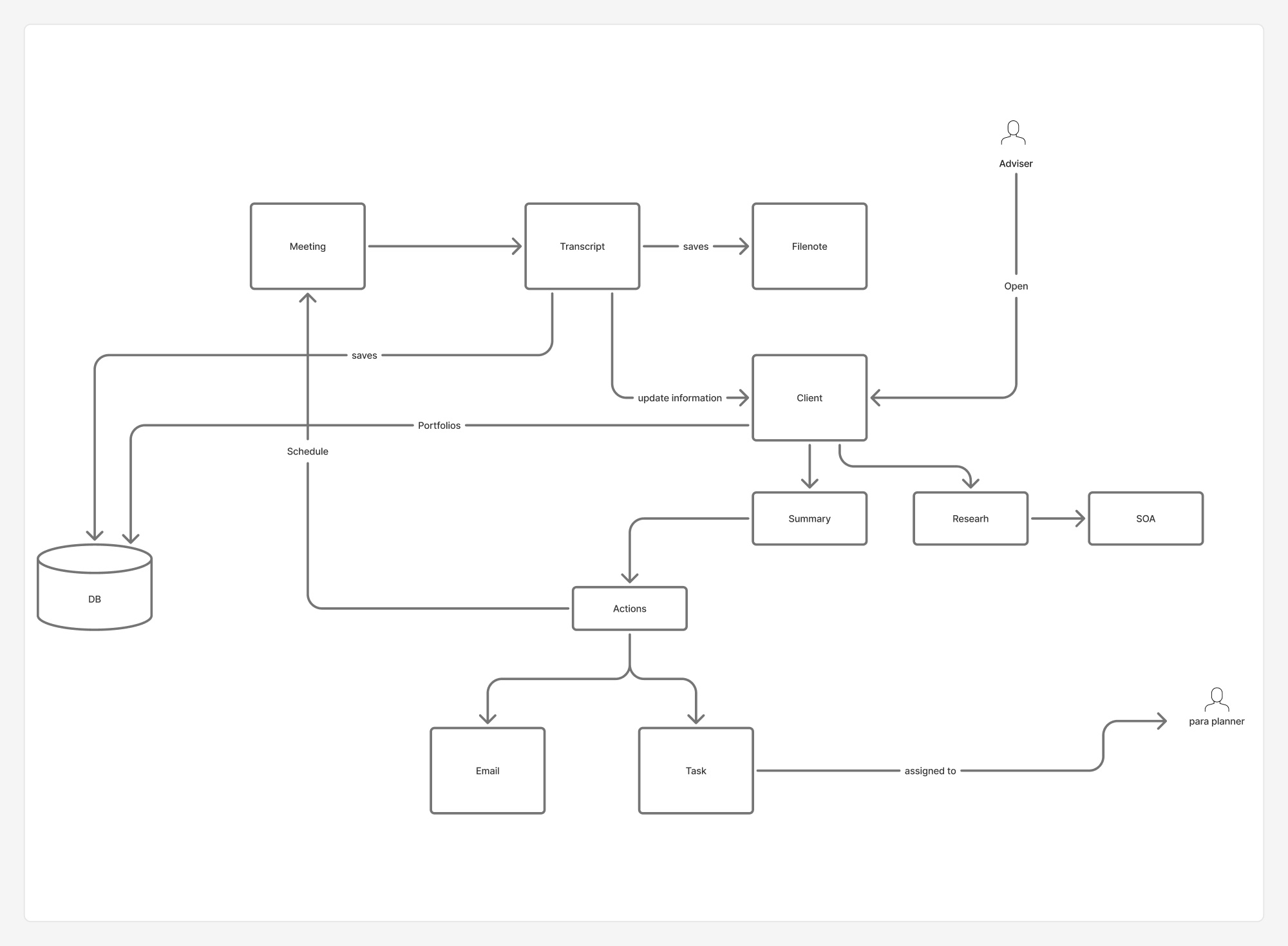
We mapped how one meeting would move through the system. The meeting becomes a transcript. The transcript saves a file note and updates the client's details. From there come a summary, research and the statement of advice, and actions like a follow-up email or a task for the paraplanner.
My role
I was the designer on a small innovation team with product and engineering. I ran the workshop, mapped how file notes worked today, designed the whole product in Figma and tested it with 10 advisers. I also started the mobile version.
The market
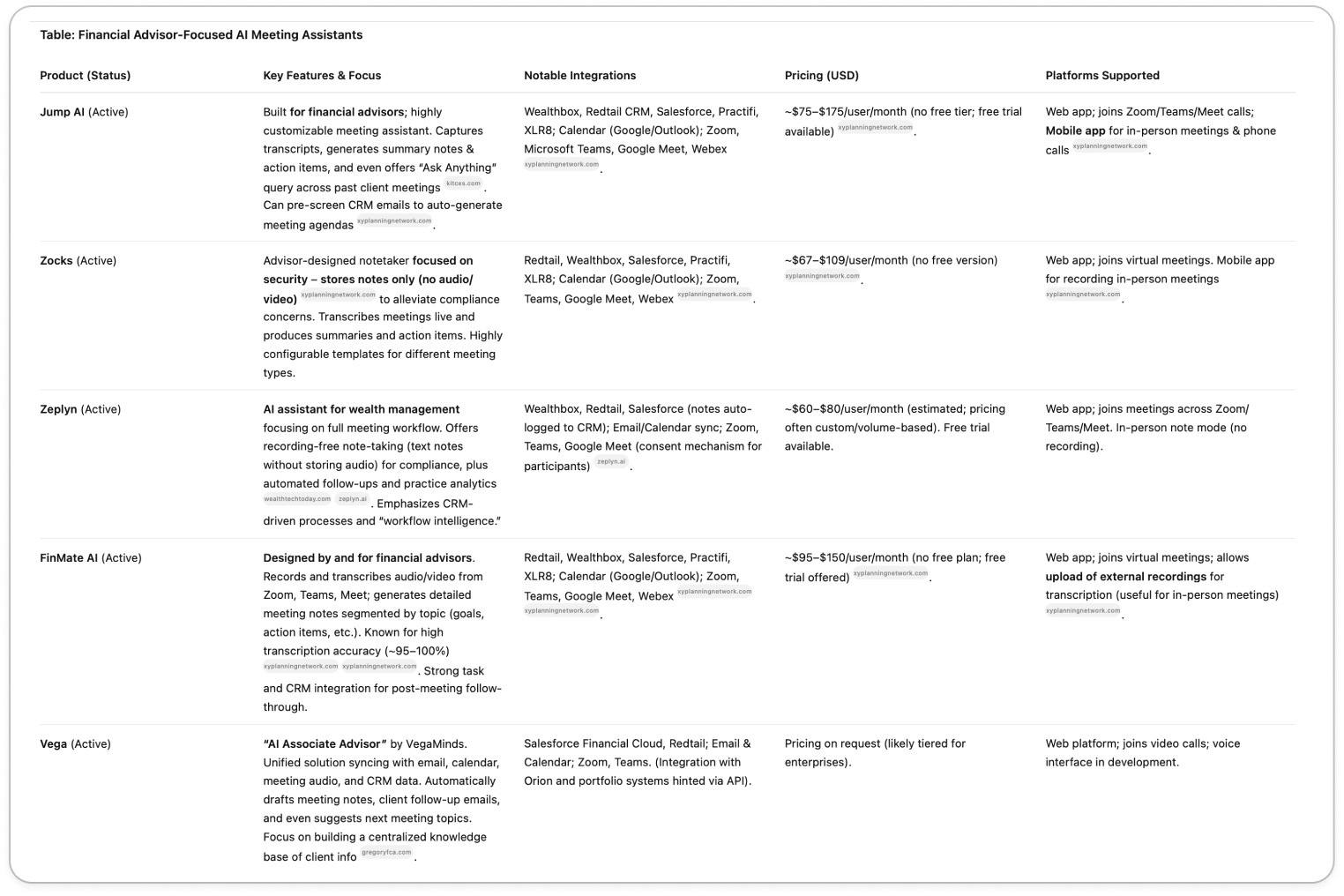
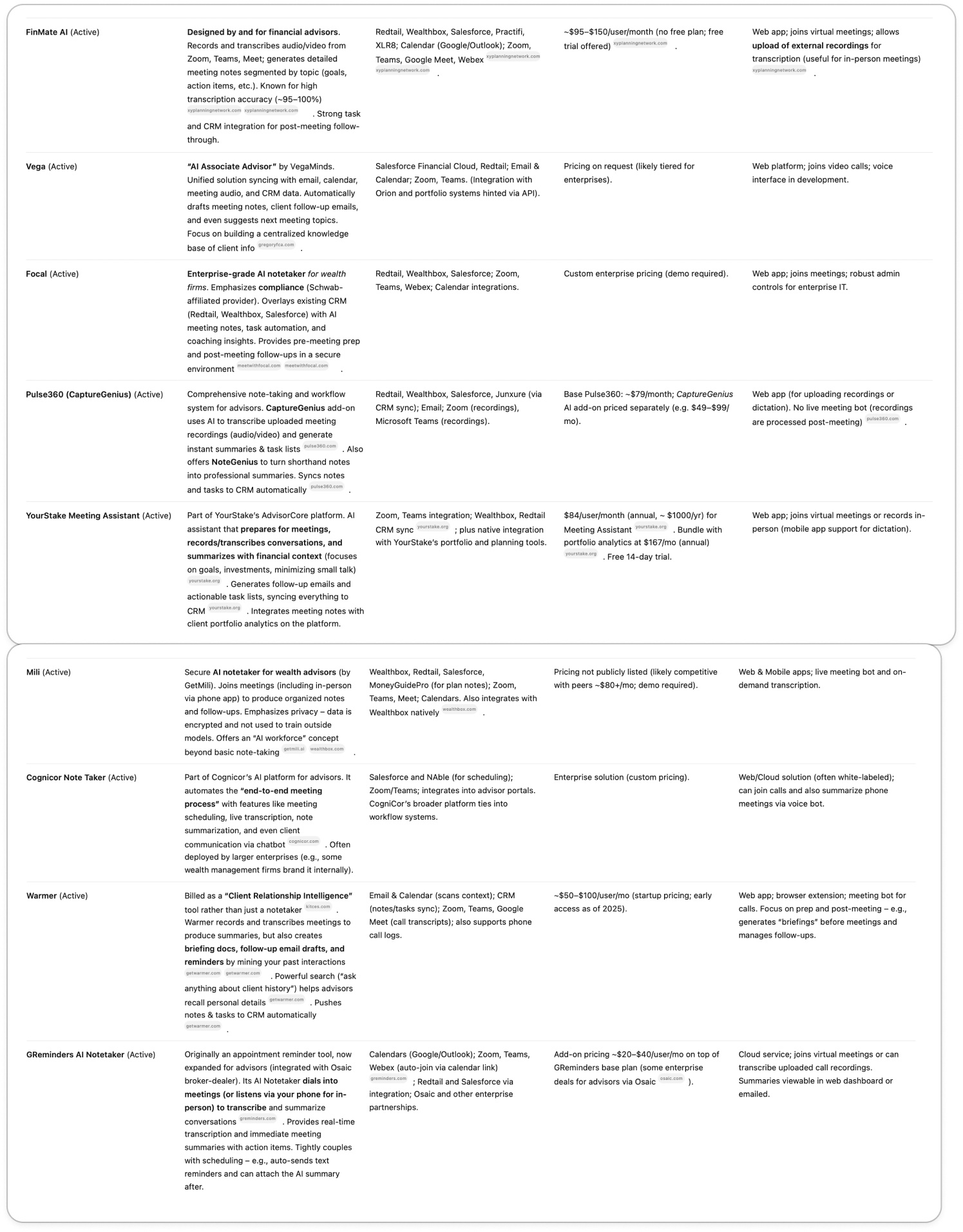
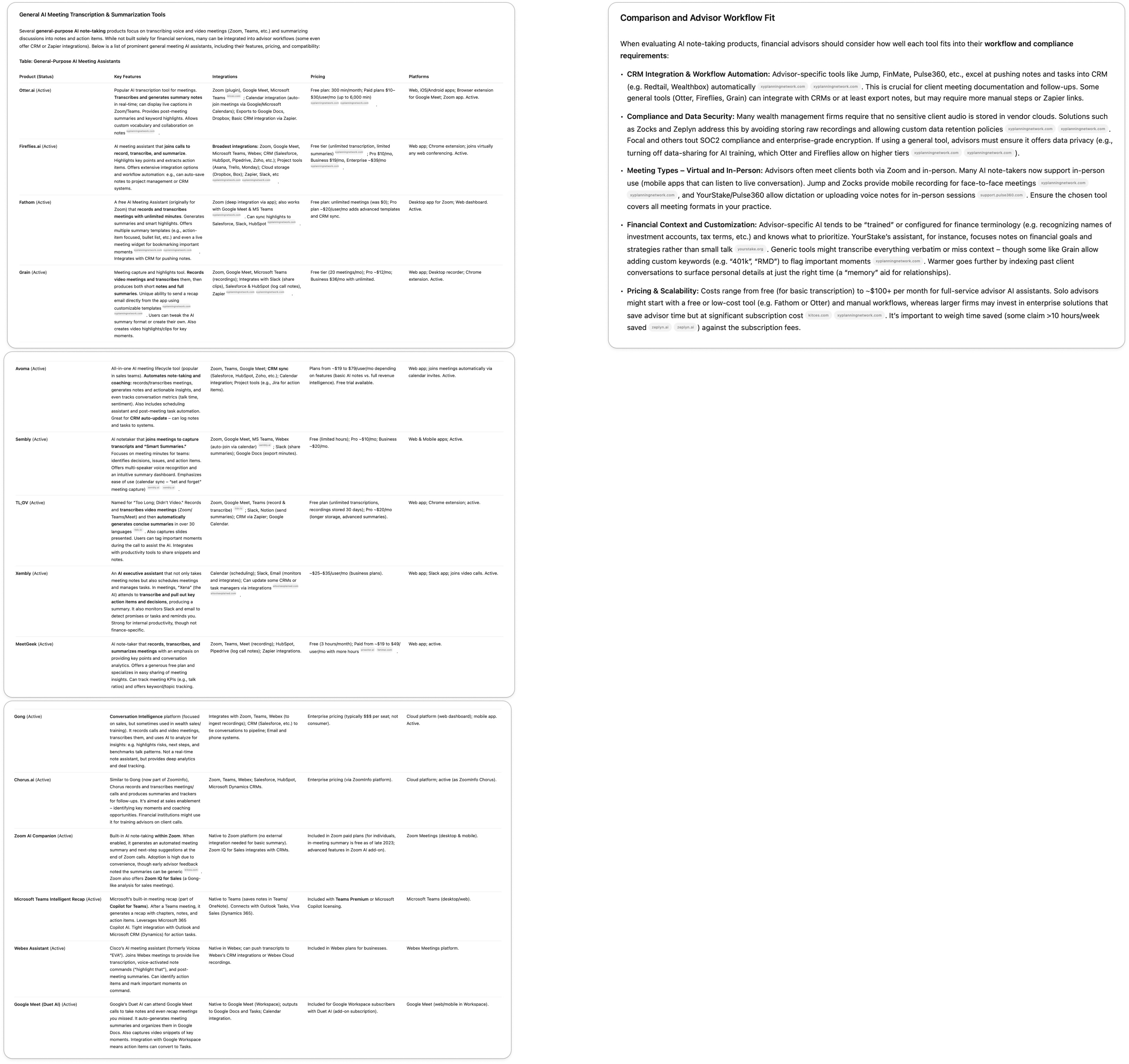
We first looked at what advisers could already buy. Two groups stood out. Tools built for advisers, like Jump, Zocks, Zeplyn and FinMate AI, already recorded meetings, wrote notes and pushed tasks into the CRM, for around US$60 to US$175 per user a month. General tools, like Otter, Fireflies, Zoom AI Companion and Microsoft Teams recap, were cheaper or free, but did not understand financial language or compliance.
Three gaps mattered to us. Many firms do not want client audio stored in a vendor's cloud. Advisers meet clients in person, not only on video calls. And most of these tools were built for US CRMs like Redtail and Wealthbox, not for AdviserLogic.
Where we started
I ran a workshop with the team. Everyone wrote a press release for the day the feature launched, and one person wrote the release for the day it went wrong: an AI error leads to a costly investment mistake. That one shaped the project more than the rest.
We then wrote about 120 "how might we" questions, from "How might we give the adviser final say in the note generation?" to "How might we ensure advisers do not over-rely on AI?". We sorted them into rough groups first.
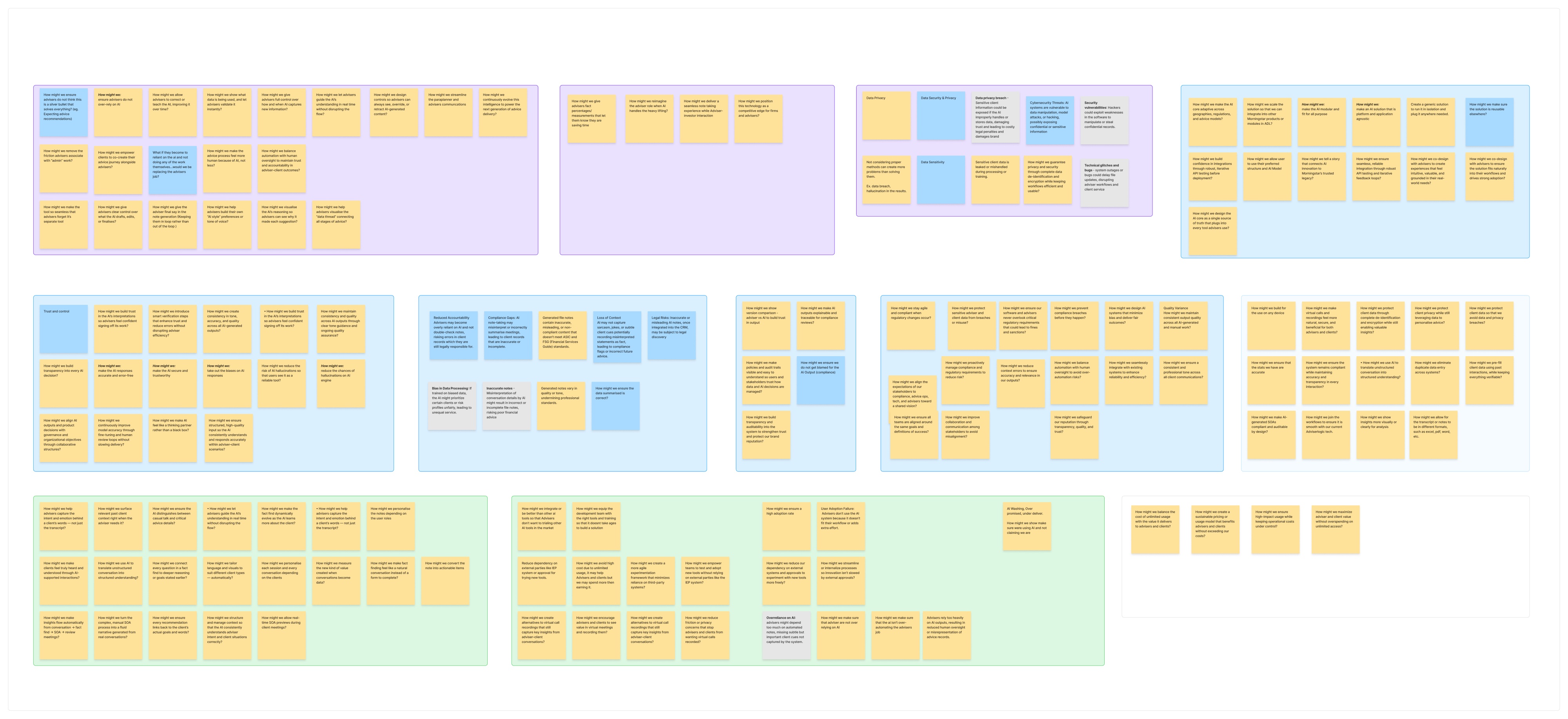
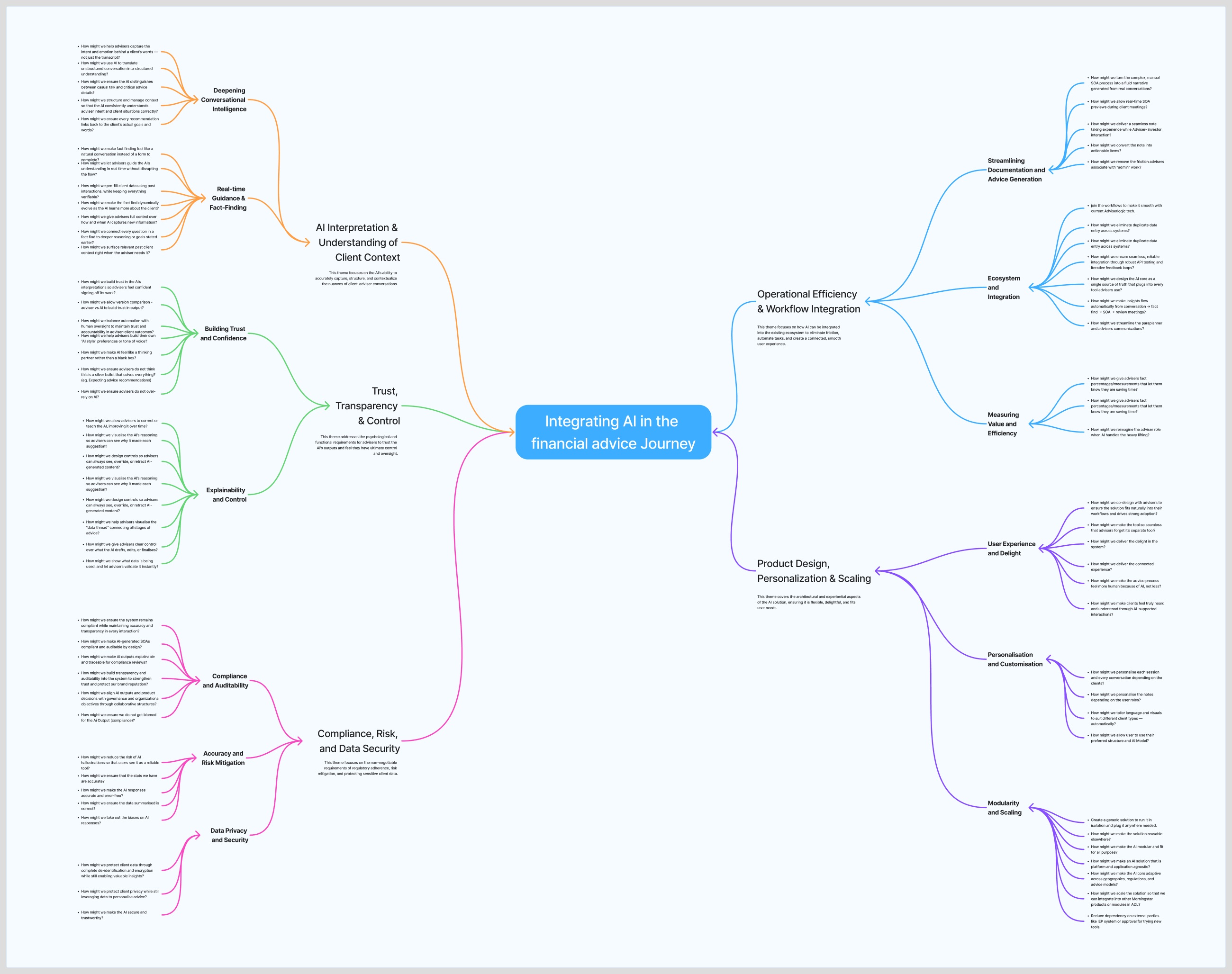
Then we grouped them into five themes: understanding the client, trust and control, compliance and security, fitting the adviser's workflow, and personalisation.
Crazy 8s
Next we ran Crazy 8s: eight ideas in eight minutes. One round gave us eight concepts, like a compliance heatmap on every note and a "trust ledger" that logs every AI action. Another gave us eight flows, from meeting prep to audit.
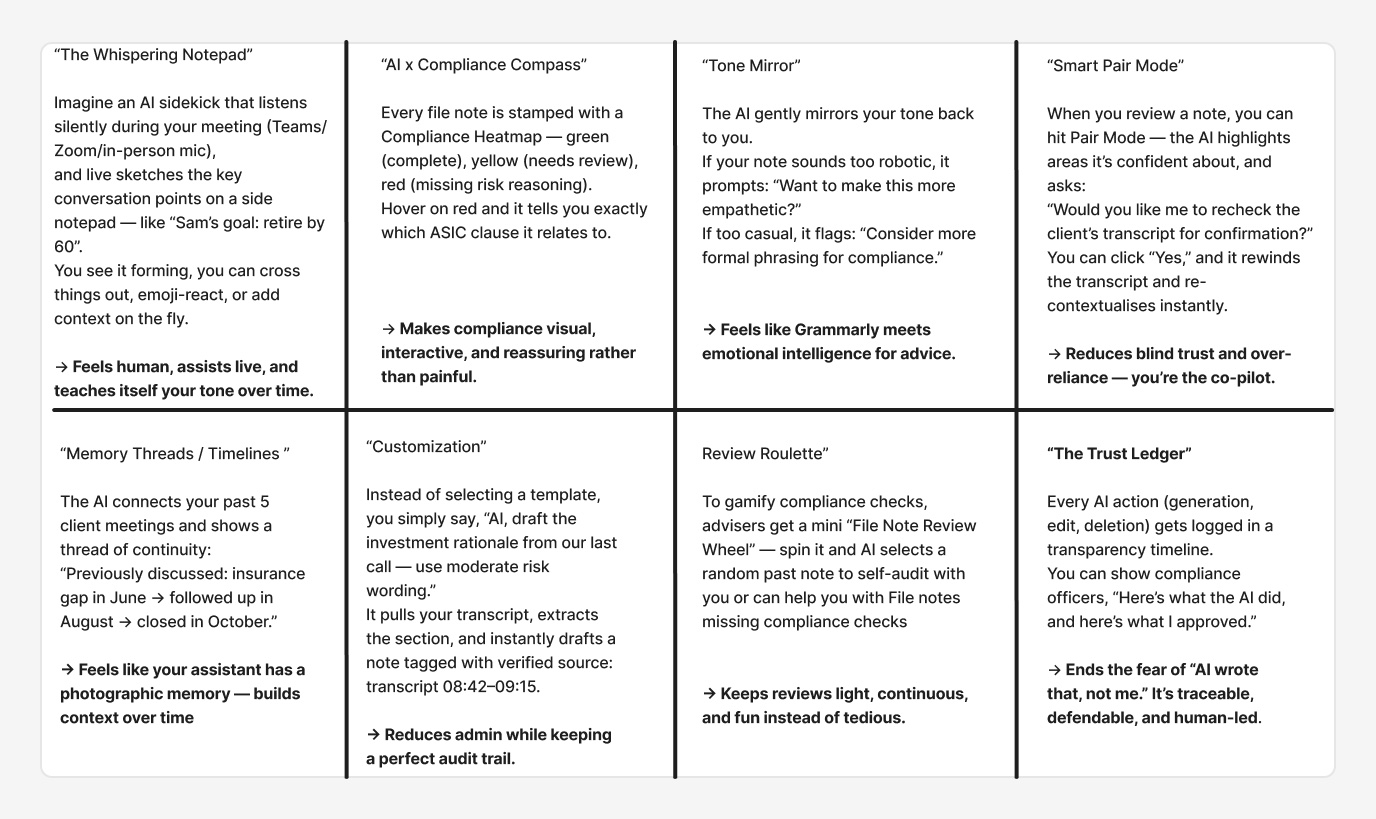
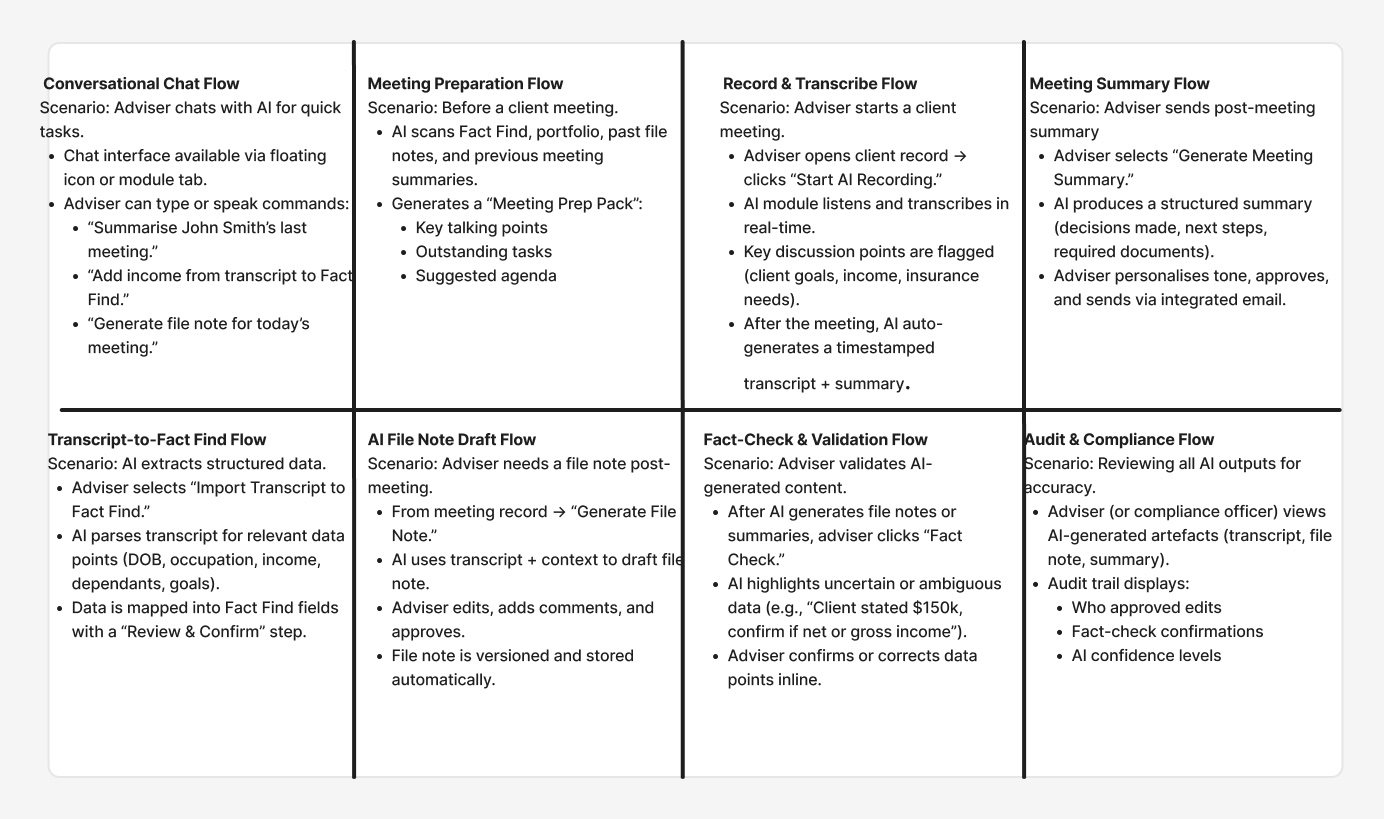
Several of these ideas made it into the product. The file note draft flow became draft, review and lock. Transcript to fact find, with its "review and confirm" step, became the changes the adviser confirms. The meeting prep pack became meeting prep, and Tone Mirror became the tone options on the pre-meeting email.
What could go wrong
After that we ran a premortem. We imagined the feature had failed a year after launch and wrote down why. Then we gave every risk a control. Four of them became rules for the design.
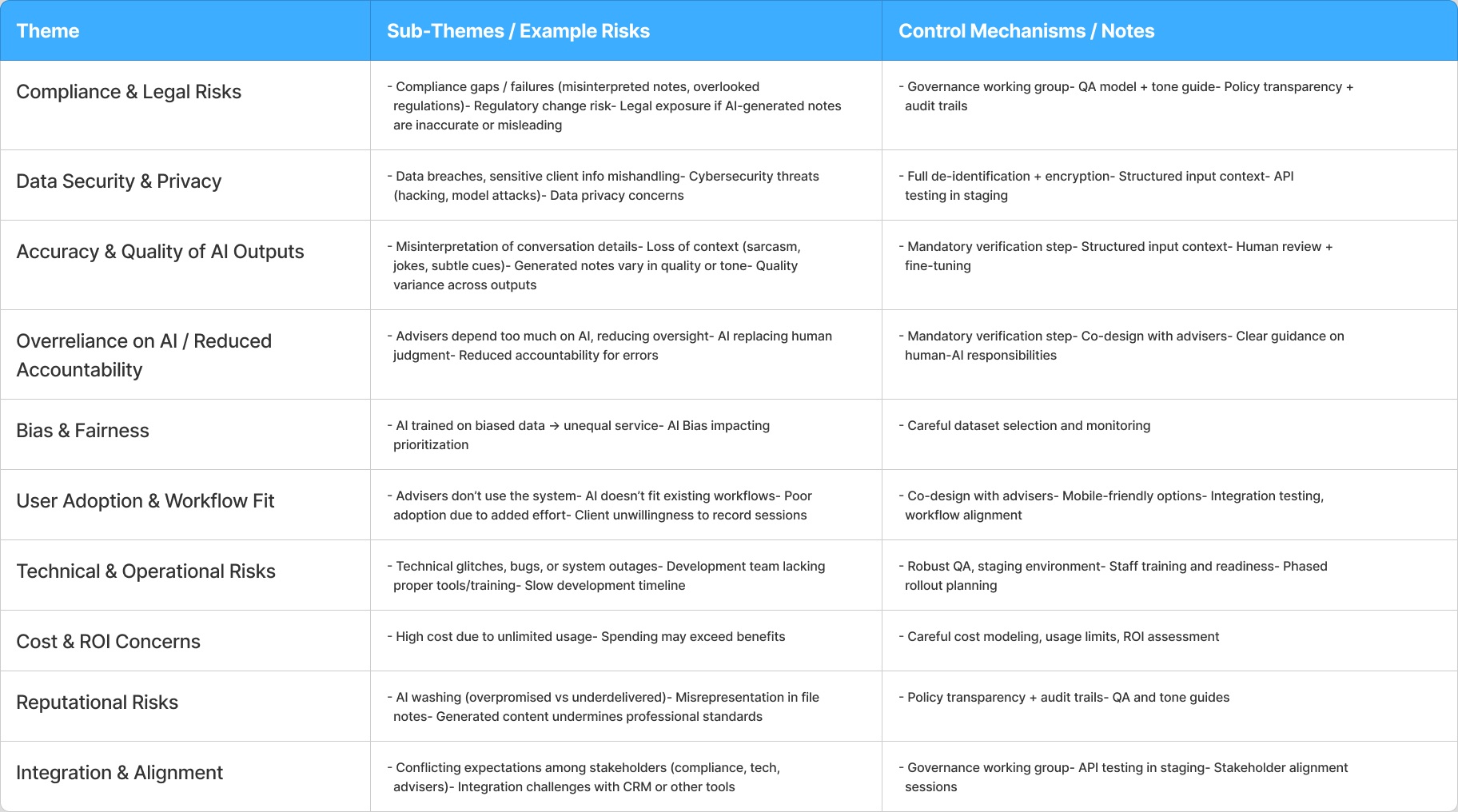
Risk
The note is wrong
The AI only drafts. Nothing reaches the client record until the adviser approves it.
Risk
Advisers stop checking
Review is a required step, and the adviser is still legally responsible for the note.
Risk
Client data leaks
The transcript is deleted once the note is final. Only the note is kept.
Risk
Nobody uses it
It starts from the meetings advisers already have, and saves into the system they already use.
Testing with advisers
Before the beta, we ran sessions with two advice practices that use AdviserLogic, with their advisers and compliance leads. We demoed the file note flow, recording from Teams and uploads, and the separate client insights. They were already using a general AI tool for notes and did not trust it, because it added details that were wrong. Four things they said changed the design.
- Lock, don't editA finished note should never change. So a note is a draft until the adviser finalises and locks it.
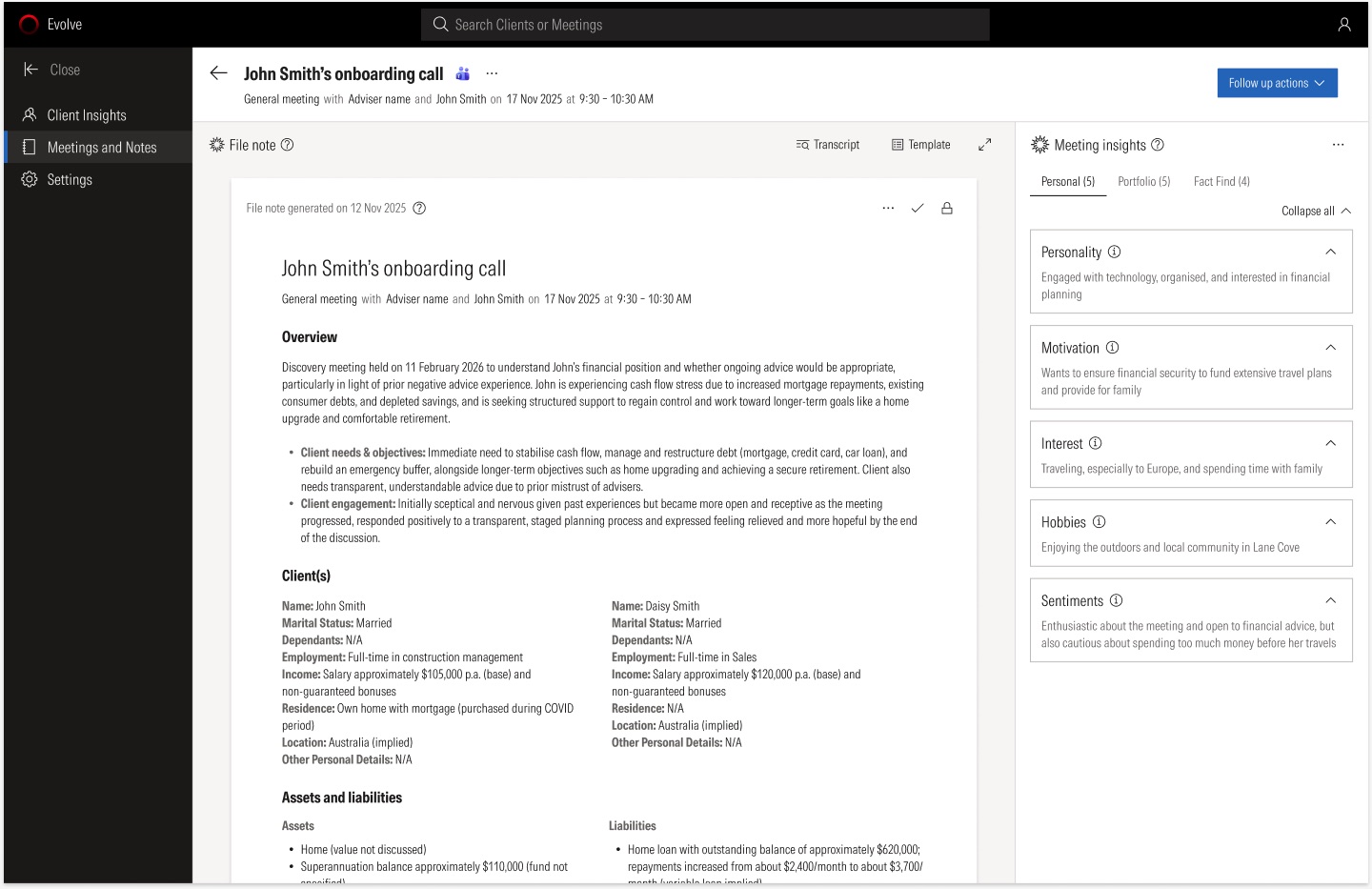
- Keep impressions outAI views on a client's personality become part of the record. So insights sit in their own panel and never go to the CRM.
- Don't fill the gapsIf something was not discussed, the note says so instead of guessing.
- Every meeting countsNot every meeting is on Teams. So advisers can also record in the room or upload a transcript.
They also asked for careful words. The product says "advice considerations", not "recommendations". They noted that AI wording can lack nuance in sensitive client situations, so the language the AI uses can be adjusted behind the scenes.
Separately, I ran usability tests of the flow with 10 advisers.
The design
Meetings first
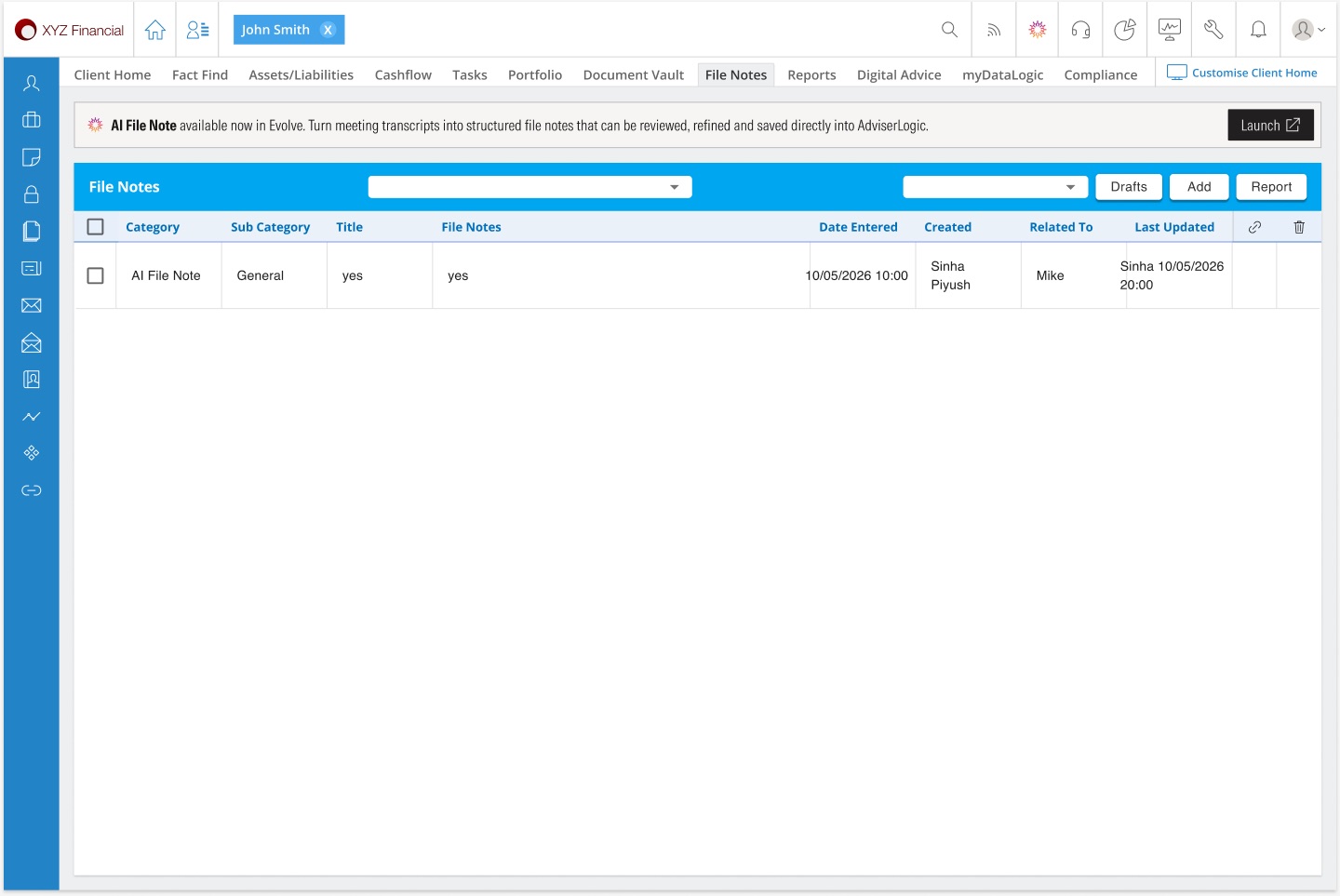
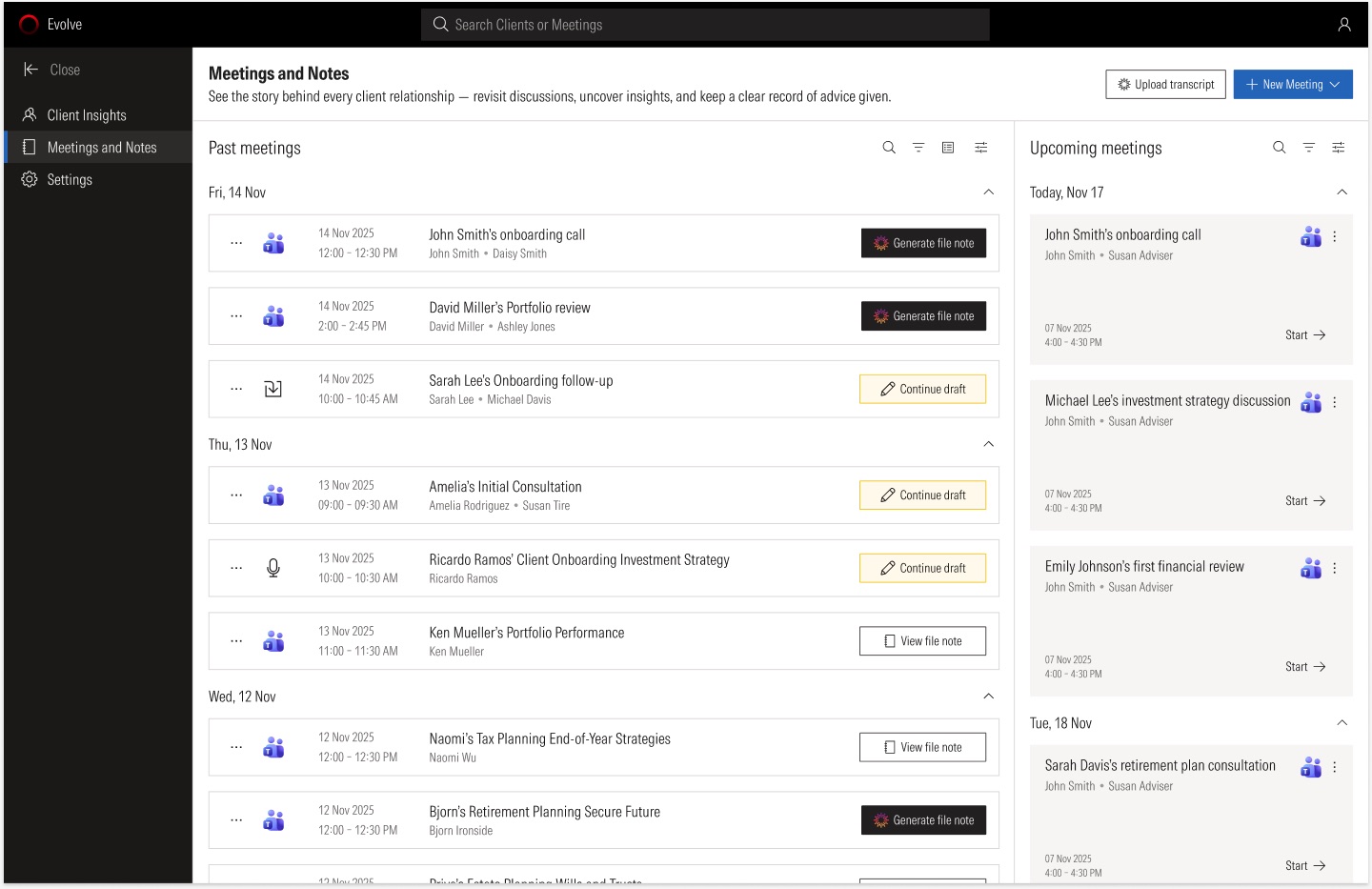
Advisers think in meetings, not notes. So the home of Evolve is a list of meetings: upcoming on the right, past on the left. Each past meeting has one clear next step: generate a file note, continue a draft, or view the final note. Advisers get there from a banner inside AdviserLogic, and the finished note comes back into AdviserLogic as an "AI File Note".
Three ways to capture a meeting
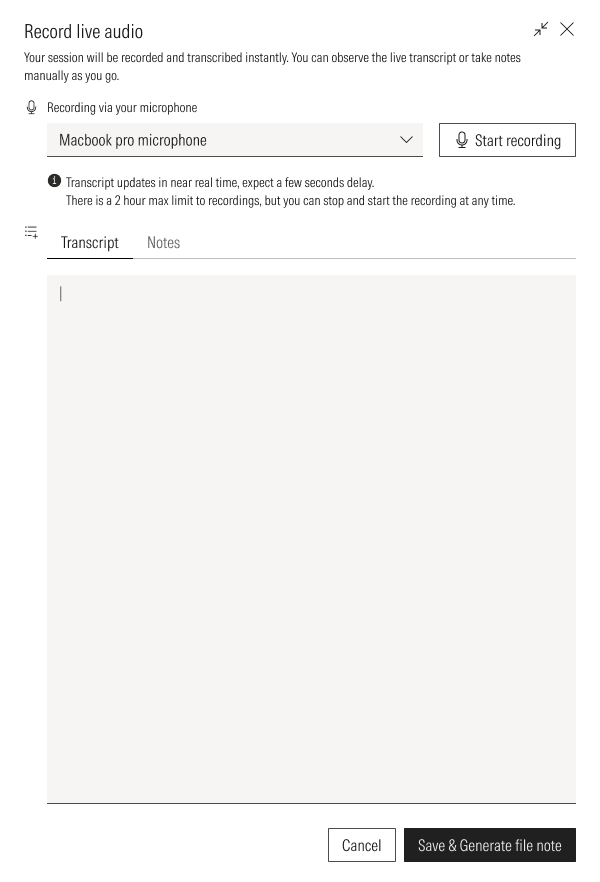
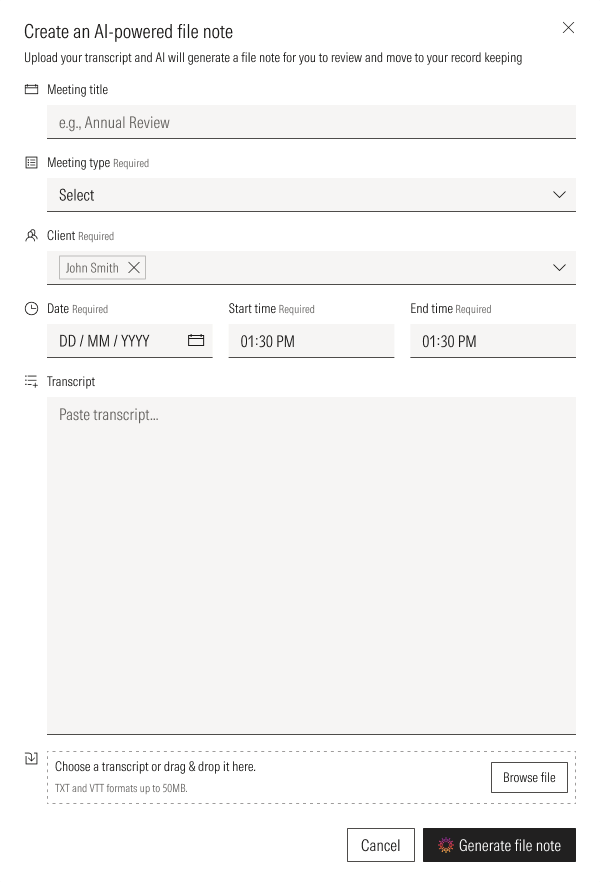
Connect Microsoft Teams and meetings appear on their own. For a meeting in the room, record live audio from the laptop. For anything else, upload or paste a transcript.
Draft, review, lock
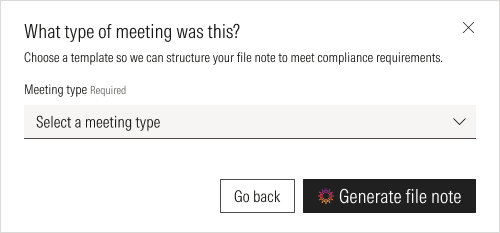
Before generating, the adviser picks the meeting type, so the note follows the right template. The draft comes back in a minute or two, with an overview, the clients, assets and liabilities, insurance and goals. Anything that was not discussed says so. The adviser can edit any section, add their own notes, or regenerate up to three versions.
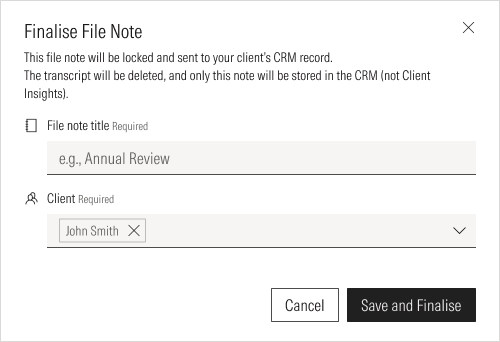
When it is right, they change the status to Finalise & Lock. The note is locked, sent to the client's record and the transcript is deleted.
Facts in the note, updates for the adviser to confirm
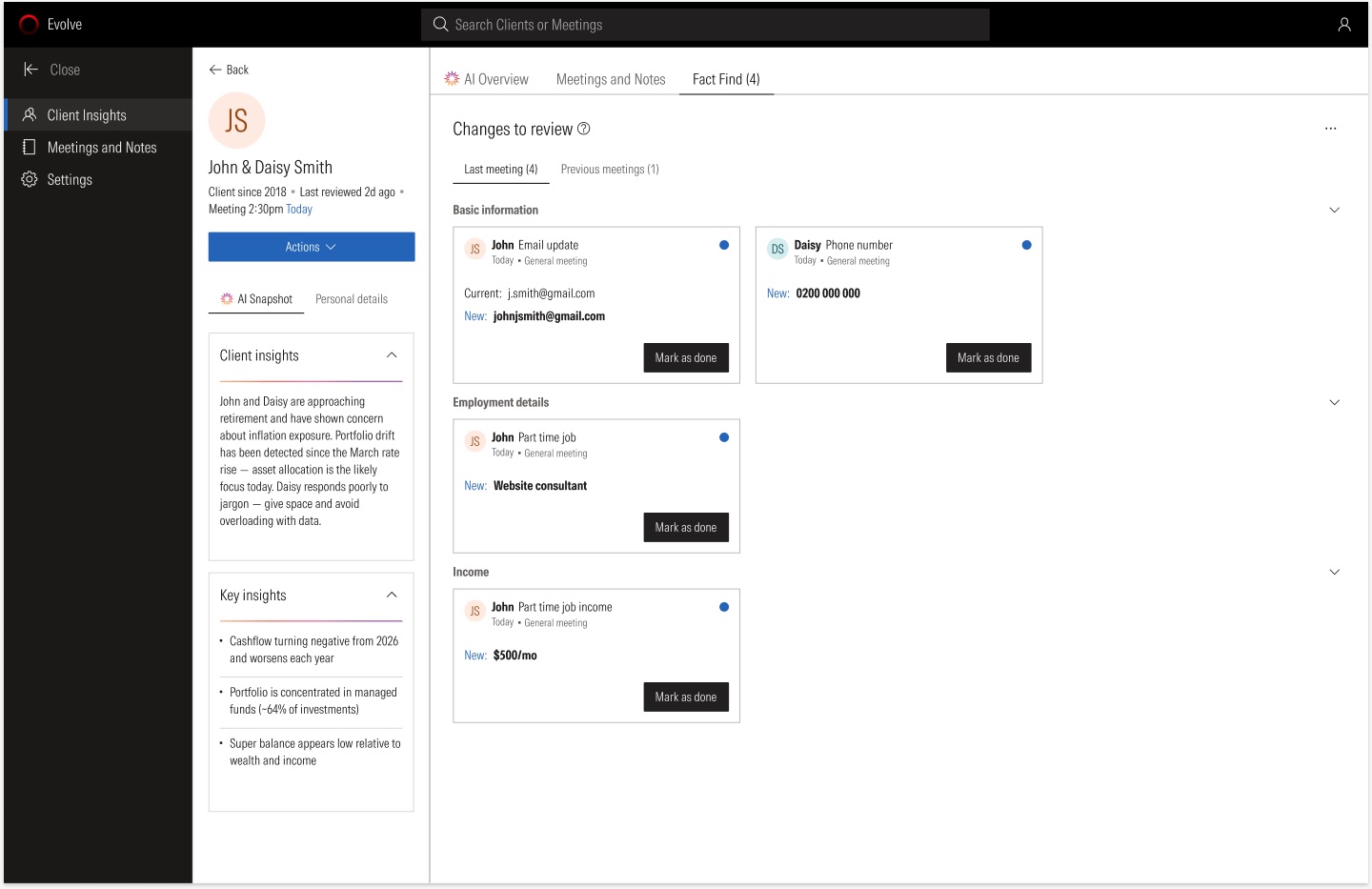
The AI also spots changes to the client's details, like a new email, a new job or extra income. It never updates the record on its own. Each change shows the current and new value, and the adviser marks it done or declines it.
Outcome
We opened the beta to 5,000 advisers. In the first month:
72%
activated within their first week
2,967
file notes generated
84%
of notes saved without a change
This was the proof we set out to find. Most advisers started using it in their first week, and most notes went into the client's record exactly as the AI wrote them.
The 84% tells us the drafts were accurate enough to trust. It is also the number I would watch most closely. Our premortem's biggest fear was advisers approving notes without reading them. A high rate of unchanged notes is only good news if advisers are still reading. Next I would measure how long advisers spend on each note before they lock it.
What came next
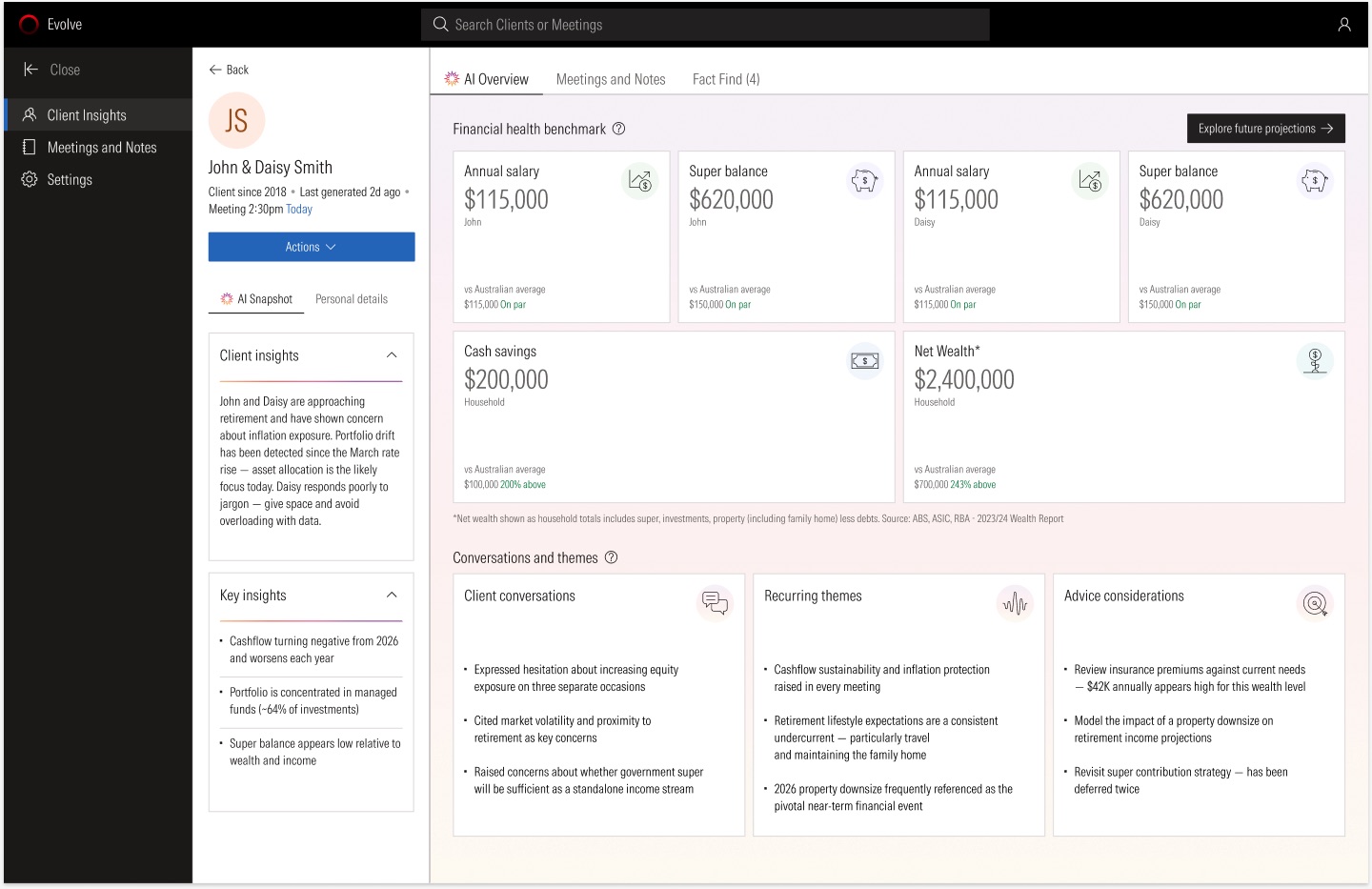
The same meeting data now powers Client Insights: a summary of each client before the next meeting, recurring themes from past conversations, benchmarks and meeting prep. A mobile version for advisers on the move is in progress.
What I learned: talk to compliance early. Their feedback gave us the rules that made the product trustworthy. And with AI, the best design work is often the step you add on purpose, like the review before a note is locked.